Tag
PowerShell
298 articles · Page 6
-

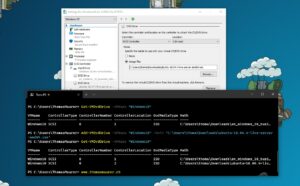
Add ISO DVD Drive to a Hyper-V VM using PowerShell
Hyper-V offers the capability to add an ISO image to a virtual CD/DVD drive and you can use Hyper-V Manager to do that, or you can also use PowerShell. Here is how you can add an…
-

Azure Stack HCI version 20H2 – everything you need to know!
Microsoft just announced the new Azure Stack HCI, delivered as an Azure hybrid service, at Microsoft Inspire 2020. Azure Stack HCI, as a hyper-converged infrastructure (HCI) solution, is expanding the Azure Stack portfolio to offer a comprehensive…
-

How to Run Custom Scripts on Azure Arc Enabled Servers
With the latest update for Azure Arc for Servers, you are now able to deploy and use extensions with your Azure Arc enabled servers. With the Custom Script extension, you can run scripts on Azure Arc…
-

How to Manage Hyper-V VM Checkpoints with PowerShell
In this blog post we are going to have a look at how you can create, manage, apply, and remove VM Checkpoints in Hyper-V using PowerShell. Hyper-V virtual machine (VM) checkpoints are one of the great…
-

How to Install PowerShell 7 on Windows 10 on ARM
As you know I am running Surface Pro X as my daily driver, which comes with Windows 10 on ARM. With the release of PowerShell 7.0.2, I want to show you how you can install PowerShell…
-

How to Install a Windows Server Container Host
In this blog post, I want to quickly guide you through how you can install a Windows Server Container Host running Docker. This guide will help you set up, install, and run Windows Containers on Windows…
-

Get the Azure Connected Machine Agent (Azcmagent) Version
Azure Arc Enabled Servers just got another update enabling extensions. This also includes an updated version of the Azure Arc agent or Azure Connected Machine Agent (Azcmagent). To get an overview of what Azure Arc Azure…
-

My Windows Terminal Color Schemes
The Windows Terminal became generally available at the Microsoft Build 2020 virtual conference a couple of weeks ago. I already blogged about how you can customize your Windows Terminal settings and shared my settings.json file. Many…
-

How to Change the Windows Terminal Default Shell Profile
The Windows Terminal is now generally available as version 1.0. I already shared a blog post on how to customize the Windows Terminal and shared my personal settings.json file with a lot of different examples, like…
-

How to Install WinGet Windows Package Manager
For a long time, people have been asking for a package manager on Windows. Today at Microsoft Build, Microsoft announced the preview of the Windows Package Manager called WinGet. A package manager can help you to…