Tag
PowerShell
298 articles · Page 30
-

PowerShell: Count your Code lines
After Coding some lines in a lot of different files you wanna know how much lines you have coded. There are two (I am sure there are even more) ways to do that. The first one…
-

Powershell: Simple retry logic
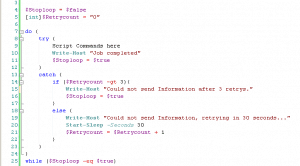
I am working on some larger PowerShell scripts right now and so I needed to create a simple retry logic for sending web request to a server. This here gives you a simple retry logic for…
-

Powershell: if Statement basics
The if-statement is pretty important if you are creating PowerShell scripts. So I created this post to get some basic information about how to use if-else statements with PowerShell. PowerShell if-else statement basics Like many other…
-
Powershell: Get Sharepoint 2010 Site Collection Storage Usage
If you need to get the Storage Usage from a Sharepoint 2010 Site Collection, you can do this with Powershell. 1. Start SharePoint 2010 Management Shell or Powershell with the Sharepoint Snapin by: Add-PSSnapin “Microsoft.SharePoint.PowerShell” 2.…
-

Powershell: check variable for null
If you are working a lot with PowerShell parameters and inputs you need to check if variables have the right value and are not “null”. Here is how you can check a PowerShell variable is null.…
-
Powershell: Send Tweet
For some reason your Powershell script should send a Tweet. With this function Powershell will send a message to Twitter. function Send-Tweet($Message) { #Twitter Login $Twitter_UserName = “yourname” $Twitter_Password = “yourpassword” $Twitter_URL = “https://twitter.com/statuses/update.xml?status=” $Twitter_Request =…
-
Powershell: Parsing XML part 1
In my company, we started to use XML files as configuration files. So we use it for some configurations of servers or automation for our robots. In Powershell, there is a pretty easy way for parsing…
-
Powershell: Invoke-Expression
Using the Invoke-Expression Cmdlet: The Invoke-Expression cmdlet provides one way to run a script from within Windows PowerShell. Invoke-Expression c:\scripts\test.ps1 or & c:\scripts\test.ps1 And you also can run a function in your Powershell Script by a variable.…