Tag
Windows Server 2008 R2
47 articles · Page 3
-

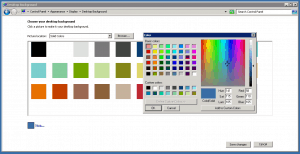
Windows Server 2008 R2 Default Background Color
For documentation, I changed the background color of my Windows Server 2008 R2 to white. After I finished my documentation I wanted to change the colors back to the default Windows Server Background Color. I realized…
-
Cisco UCS Hyper-V Cluster – Important Updates for the Hyper-V Cluster – Part 9
Since we have installed our Microsoft Hyper-V Cluster on the Cisco UCS, Microsoft released some patches for Hyper-V, Windows and Clustering. There are two really important Updates which I would recommend for Hyper-V Clusters. The first…
-
Hyper-V Hotfix for Intel Sandy Bridge and Westmere
If you are using Microsoft Hyper-V with new Intel Sandy Bridge or Intel Westmere processors and our server has over 48GB of physical RAM you may get a performance decrease. Microsoft released a hotfix (KB2517329) for…
-
Remote Server Administration Tools for Windows 7 with Service Pack 1 (SP1) now available
Microsoft released the new Remote Server Administration Tools (RSAT) for Windows 7 with Service Pack 1 (SP1). With this update you also have the new Hyper-V Manager Console for Hyper-V with SP1 and features like Dynamic…
-
Windows Server 2008 R2 Hyper-V Licensing Overview
This is a little Overview how you can license Windows Server 2008 R2 in a Hyper-V Environment. One of the biggest advantages of Hyper-V over VMware are the included Guest OS Licenses. For example if you…
-

In-place Upgrade Windows Server 2008 to Windows Server 2008 R2
I’m not a big fan of In-place Windows Upgrades, especially in the server environment. But we had some servers with a small application running on Windows Server 2008, so we decided to in-place upgrade this server…
-

Add Drivers to Windows Installation ISO
If you have a Windows 7 or even a Windows Server 2008 R2 Server ISO file and you need to add drivers to this ISO file, this little how-to shows you how you can do that.…
-
Howto Attach / Detach VHD in Windows Server 2008 R2
This little HowTo shows you how you can attach or detach VHDs (Virtual Hard Disk) in Windows Server 2008 R2 or Windows 7. Basically you can use the Disk Management in the Server Manager to do…