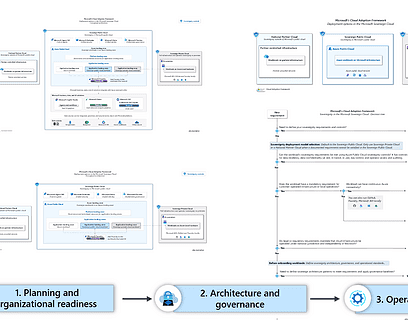
Azure Local isn’t a one-size-fits-all platform, it’s designed to meet customers wherever they are. Whether you’re running a single machine at a retail location, a small cluster at the edge, a disconnected environment for sovereign workloads, or a large-scale multi-rack on-premises footprint in your datacenter, Azure Local adapts to the scenario. The same Azure-consistent experience scales from a single node all the way up to hundreds of servers, which is giving customers the flexibility to choose the right deployment model for their workloads, compliance requirements, and operational needs.
One of the most powerful options in this portfolio is Azure Local multi-rack deployments, which is purpose-built for customers who need to scale far beyond a hyperconverged cluster and bring Azure-consistent infrastructure to datacenter scale. In my latest video, I give a quick overview of Azure Local and the different scenarios it addresses, then dive into the specifics of multi-rack deployments — and finish with a quick demo so you can see the experience for yourself.
A Quick Refresher: What is Azure Local?
Azure Local is Microsoft’s distributed infrastructure solution enabled by Azure Arc, that lets you run virtual machines, containers, and select Azure services in your own datacenter, at the edge, or even in disconnected environments.
It supports a wide spectrum of scale points and use cases, from a single machine all the way up to hundreds of machines, depending on the deployment type:
- Hyperconverged deployments – Clusters of 1–16 machines using hyperconverged storage (with optional external SAN). (Microsoft Learn)
- Disaggregated deployments – Up to 64 machines, separating compute and storage for independent scaling using SAN storage. (Microsoft Learn)
- Multi-rack deployments – Integrated racks of compute, storage, and networking, scaling up to hundreds of machines. (Microsoft Learn)
- Disconnected deployments – Run Azure Local without connectivity to the Azure public cloud with Azure Local Disconnected Operations. (Microsoft Learn)
- Microsoft 365 Local deployments – Purpose-built for Microsoft 365 Local workloads. (Microsoft Learn)
In the video, I start with this overview before zooming into the specifics of multi-rack.
What Makes Multi-Rack Deployments Different?
Multi-rack deployments extend Azure Local from cluster-scale to datacenter-scale. They are delivered as preintegrated racks with compute, storage, and networking included, designed around a prescriptive hardware bill of materials (BOM) from Microsoft hardware partners to deliver optimal performance and reliability.
The footprint is structured as:
- One main rack for network aggregation and SAN storage
- Three or more compute racks
- Minimum footprint: four racks
Instead of pooling local storage across nodes (Storage Spaces Direct), multi-rack uses a disaggregated, SAN-backed architecture where compute and storage scale independently — and where the rack itself becomes a failure domain.
Key Benefits of Multi-Rack
What I really like about multi-rack is that it keeps the same Azure experience and APIs you already know. The key benefits include:
- ✅ Familiar Azure experience via the Azure portal, CLI, and ARM templates
- ✅ Resilient large-scale infrastructure with built-in redundancies for high availability
- ✅ Managed networking all network devices and settings managed via Azure APIs and ARM templates
- ✅ Arc-enabled services running locally such as Foundry Local on Azure Local to run your AI workloads
- ✅ Unified governance and compliance with Azure RBAC and Azure Policy
Architecture Highlights
Inside a multi-rack deployment, things look a bit different from the hyperconverged world:
Compute: Bare-Metal Machines (BMMs)
Compute nodes are bare-metal machines (BMMs) running Azure Linux, integrated as nodes in the multi-rack cluster. Each BMM is represented as an Azure resource, enabling lifecycle operations like power on/off, restart, reimage, cordon/uncordon, and hardware validation directly from Azure.
Networking
Multi-rack includes automated bootstrapping and lifecycle management of network devices, with logical Layer 2 and Layer 3 networks deployed across racks to support workloads.
Storage
Built-in SAN storage is shared across compute racks, enabling true independent scaling of compute and storage.
VM Management
Azure Local VM management lets IT admins provision and manage Windows and Linux VMs through the Azure portal, CLI, PowerShell, or ARM/Bicep templates, with RBAC built in for self-service scenarios.
When Should You Consider Azure Local Multi-Rack?
Multi-rack is the right choice when:
- You need to run hundreds of servers in a single Azure Local instance
- You want independent scaling of compute and storage
- You require rack-level failure domains for higher resiliency
- You’re building large-scale, sovereign, or regulated environments where consistent Azure management at datacenter scale matters
For smaller footprints or edge sites, hyperconverged or small form factor deployments may still be the better fit. And for datacenter deployments also the Azure Local disaggregated deployments can be a good fit for distributing to different Azure Local instances for workload or resiliency design reasons.
See It in Action
In the video, I close with a quick demo so you can get a feel for what a multi-rack deployment looks like from the Azure portal and CLI.
📚 Learn more on Microsoft Learn: What are multi-rack deployments of Azure Local?
Final Thoughts
Multi-rack is one of the most exciting evolutions of Azure Local. It takes everything customers love about the hyperconverged experience — consistent Azure tooling, Arc-enabled services, unified governance — and applies it to datacenter-scale, mission-critical workloads.
If you’re planning large-scale on-premises or sovereign cloud deployments, this is absolutely a capability worth getting familiar with.
As always — let me know in the comments what you’d like me to dive into next. 👇
Tags: Azure, Azure Arc, Azure Local, Cloud, Datacenter, Foundry Local, Hybrid Cloud, M365 Local, Microsoft, Microsoft Azure, Multi-Rack, Sovereign Cloud, Virtualization Last modified: June 15, 2026