

Azure Local enables customers to run Azure services on customer‑owned infrastructure, bringing Azure’s consistent operations, security, and management model to on‑premises, edge, and sovereign environments. It’s a key building block for Hybrid and Sovereign Cloud strategies—especially where data residency, latency, or regulatory requirements matter.
One of the most common questions I get is: How can I get hands-on with Azure Local before moving to certified production hardware?
To help answer that, I’ve created two short videos that show practical, supported ways to evaluate and demo Azure Local—whether you prefer a fully sandboxed cloud environment or a local HomeLab setup.
Option 1: Evaluate Azure Local in an Azure Sandbox with Jumpstart LocalBox
📺 Video: Evaluate Azure Local in a Sandbox with Jumpstart LocalBox
▶️ https://youtu.be/fPr-TfHcUVgIn
In this walkthrough, I show how you can deploy and explore Azure Local in a fully sandboxed Azure environment using Azure Jumpstart LocalBox.
This approach is ideal if you want to get hands-on without any physical on‑premises hardware. By combining an Azure Sandbox with Jumpstart LocalBox, you get a secure, repeatable environment to understand Azure Local architecture, operational workflows, and management patterns.
Using this method, you can:
- Learn and validate Azure Local concepts
- Test deployment and configuration scenarios
- Build demos and hands-on labs
- Prepare for real-world Azure Local and Sovereign Cloud deployments
This is especially useful for cloud architects, engineers, and IT professionals who want to quickly understand how Azure Local fits into hybrid and sovereign cloud strategies using Microsoft-supported tooling.
👉 Learn more about Azure Jumpstart: https://jumpstart.azure.com
Option 2: Install Azure Local in a HomeLab using a Hyper‑V VM
📺 Video: Install Azure Local in a HomeLab – Hyper‑V VM & Evaluation Guide
▶️ https://youtu.be/ubNSHqKQISI
If you prefer a local, self-managed setup, this second video shows how to install Azure Local inside a Hyper‑V virtual machine using nested virtualization.
This approach works well for HomeLab environments or workstations and is perfect for:
- Learning how Azure Local works in practice
- Learning what prerequisites need to be in place, such as Active Directory, DNS, time servers and more.
- Running demos or proof‑of‑concepts
- Exploring capabilities before investing in hardware
In the video, I also cover important considerations and limitations of running Azure Local in a virtualized environment, and when this approach makes sense compared to using certified physical hardware.
Learn more here: Azure Local Documentation
⚠️ Important: This setup is intended for evaluation, learning, and demo purposes only. Production deployments of Azure Local require certified physical hardware from the Azure Local solutions catalog.
Option 3: Proof of Concept with Real Hardware and Azure Local Partners
For customers who are ready to move beyond evaluation and demos, the next step is a proof of concept (PoC) using certified physical hardware.
Azure Local production deployments require validated hardware from the Azure Local catalog, and Microsoft strongly recommends working closely with an experienced partner and OEM to design and execute a PoC that reflects real-world requirements.
This approach is ideal when you want to:
- Validate Azure Local on certified, production-ready hardware
- Test performance, resiliency, and operational processes
- Integrate with existing on‑premises, edge, or sovereign environments
- Build confidence before a full production rollout
By collaborating with a trusted Microsoft partner and an OEM from the Azure Local catalog, you can create a PoC that aligns with your target architecture, compliance needs, and operational model—whether that’s in a datacenter, edge location, or sovereign environment.
This is the recommended path for organizations preparing for production Azure Local deployments, especially in regulated industries or sovereign cloud scenarios where hardware certification, supportability, and lifecycle management are critical.
👉 Explore certified solutions in the Azure Local catalog and engage with Microsoft partners to get started.
Choose the Right Path for Your Scenario
Both approaches are complementary:
- Jumpstart LocalBox is ideal for fast, cloud-based learning and repeatable demos, with a fully automated deployment. However, it generates some cost in Azure for hosting the sandbox VM and services.
- Hyper‑V HomeLab setups are great for local testing and deeper hands-on exploration with only limited Azure spend depending on the features you are testing and the 60-days trial period.
Together, they give you practical, low-friction ways to evaluate, test, demo, and showcase Azure Local—and build confidence before moving to production.
If you’re working with Hybrid Cloud, Edge, or Sovereign Cloud scenarios, these two walkthroughs are a great place to start.
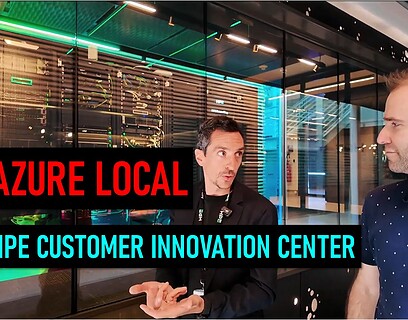
If you want to learn more about Azure Local, make sure you also check out my Azure Local Overview video:




[…] Thomas Maurer: How to Evaluate, Test, and Demo Azure Local (includes videos) […]