Microsoft finally released an video ad which shows why the Surface is such a great device. Surface Imagine shows you a device that can finally do it all. It has the power of a laptop with the portability of a tablet. It has a USB port and a click-in keyboard and the power to run Office.
Tag Archives: Surface RT
Two months with the Surface Pro and how it replaced my notebook

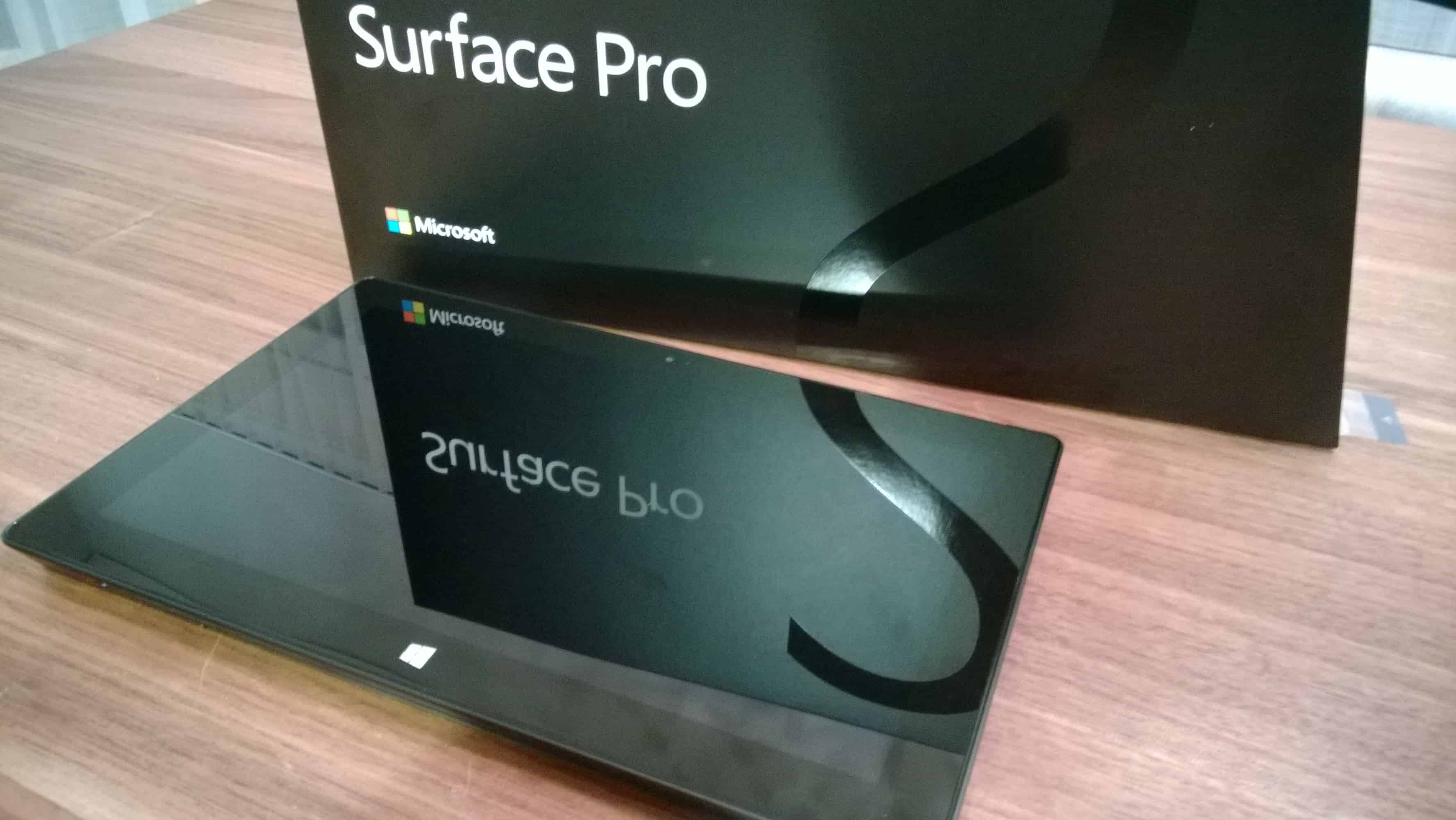
At the Microsoft MVP Summit back in February I had the chance to get a brand new Microsoft Surface Pro, after I already used a Surface RT which a had since November 2012. I already wrote a very small review a few days after I got it in the Microsoft Store in Bellevue WA and used it during the MVP Summit.
Since I am back from Redmond I am using my Surface Pro for work when I am on the road, at customers, working at the office, at university, at hotels or at home when I am working in the living room. Basically the Surface is my daily companion. At home and for long flights I still use the Surface RT because it’s lighter, has better battery life and it because of it size and weight it feels more like a tablet.
And here are my impressions after I used it now for two months.
Hardware quality – The build quality of the hardware is just amazing. As the Surface RT the Surface Pro is just high quality hardware. Even after 2 months this piece of hardware still looks great and elegant. There is nothing broken or anything else which I am unhappy about. I really like to work with great devices that’s was one of the reasons I used Apple products some years ago and I still think Microsoft is maybe the only one who can keep up with the quality of Apple hardware, because most of the other OEM’s do not get it right.

Amazing display – The screen of the Surface Pro is great with a good contrast and great colors like the Surface RT but with a Full HD resolution. I am really happy with the Full HD resolution, especially when I am working with System Center products or I am taking notes with OneNote.
I am using my Lenovo ThinkPad X1 for lab installations and testing, and the screen is terrible if you compare it to the Surface Screen. The only problem I had with the Surface Pro is that it’s hard to sit in front of a 10.6” screen for like 8-10 hours. At the office I don’t have this problem because I can use a external monitor and most of the customers I work for are doing the same, so this isn’t a big issue.
Digital Ink – The Surface Pro comes with a digitizer pen which is perfect to take notes with OneNote and other stuff. As I mentioned I am using the Surface Pro at work and at university. At university I am using the pen mostly to take notes and mark some important stuff in documents. At work I am not only using it to take notes, it’s also great during workshops or presentation, where you quickly want to draw something instead of using a whiteboard or a flipchart.
Performance – The Surface Pro is equipped with a Intel Core i5 processor and 4GB of RAM which brings really good performance. Well I cannot really talk about performance because normally you only talk about performance when you don’t have enough, but I never had any performance issues with the Surface Pro and I even think the performance is better than the notebooks I used before.
Features – Well many people already know about features like the kickstand or the Touch and the Typecover, which is by the way pretty good to write on and I am used to use a ThinkPad which has an amazing keyboard. Another cool and useful feature is the build in USB charging port in the power adapter, which lets you charge another phone even if the Surface USB port is already used by another device.
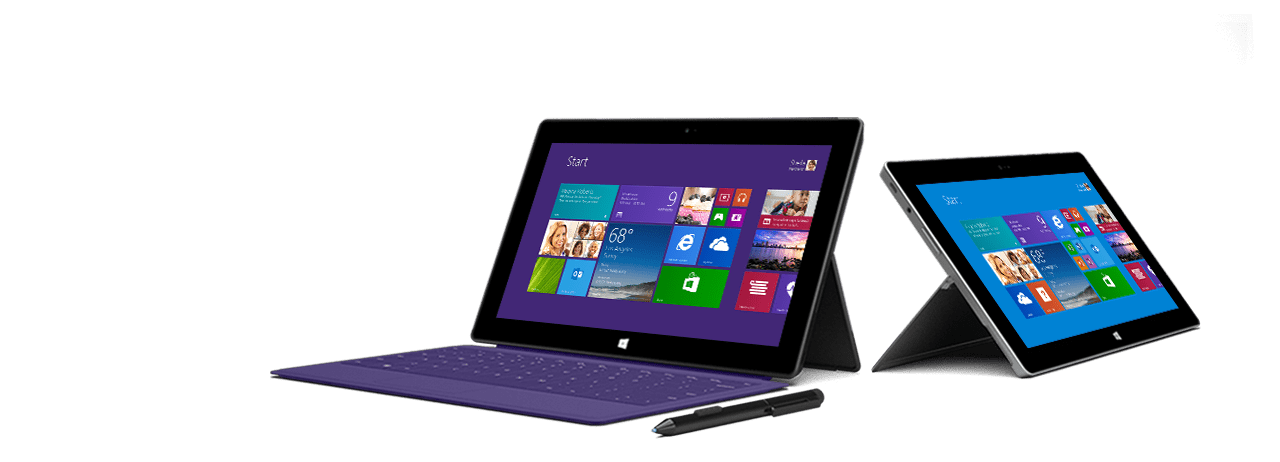
Size and weight – The Surface Pro is not much thicker and heavier than the Surface RT but if you compare them site by site it’s a big difference. Even my Lenovo ThinkPad X1 was a very light and small business ultrabook, the Surface Pro feels a lot lighter and needs a lot less space and is much easier to carry it around.
Battery life – Same as the size the battery life is not like it would be on a normal tablet. I got in my tests 4-5 hours of battery life, when I am working 100% on my Surface Pro. During time at university I get around 6 hours which is enough for one day. During long flights it does not really make sense to use the Surface Pro because the only thing I need there is Office 2013, to work on presentations and documents, a video player to watch movies and of course a lot of battery life to do all this things. The Surface RT is much more suitable for this scenario.
Accessories – If you want to replace your notebook with the Surface Pro you may need three things, except the Type- or Touchcover. First you need a adapter for VGA or HDMI output so you can connect a projector or external monitor. The Surface Pro has a Mini-DisplayPort output and offers two adapters, one for HDMI and one for VGA, but you can also use adapters from other vendors.
The second thing you need is a USB to Ethernet adapter, because most of the enterprise customers do not offer Wifi access to their network and business users basically need a Ethernet port. The downside of using such a adapter is that you loose the only USB port and this can be a problem if you want to use a USB drive or a external disk at the same time. Microsoft offers also a USB to Ethernet adapter but like for the display adapter you can also use other adapters.
The last thing you need is a mouse, even you have a touchscreen and a trackpad, there are a lot of thing which are much more efficient with a mouse. I use the Microsoft Wedge Touch Mouse Surface Edition which is small and perfect if you travel.
Software – Windows 8 is the perfect mix from desktop and tablet OS. For a lot of people the mix of two different UIs is something bad, for me its just the best solution because the OS offers me the best from both worlds. I am also a huge fan of the Microsoft Account integration which syncs settings from all your devices.
SkyDrive and SkyDrive Pro make my life a lot easier, I don’t really have to copy files between different devices because they are available everywhere and get synced automatically. And Office 2013 or Office 365 Home Premium integrated perfectly in this scenarios and you get 20GB of extra SkyDrive storage.
The Xbox integration with the Xbox Smart Glass technology is just perfect, if you are sharing media in the living room or watch movies or listen to music it’s the a great Xbox companion.
Conclusion – Well after two months I don’t carry my notebook anymore, the Surface Pro totally replaced it not only because it is much smaller and lighter, not it only because of the additional features I get with the Surface, for example the Touchscreen, the tablet form factor and the digitizer pen.
My wish list for the next Pro version would be:
- Make it thinner and lighter like the Surface RT would be great
- Longer battery life - I know it’s hard to get performance and battery life at the same time, but 8-10 hours of battery life would be just awesome.
- Different sizes - This is maybe not just about the Pro version, but maybe for the whole Surface series. A smaller Surface around 7” would be great for doing some small tasks. The other thing I thought about would be a 11” or 12” Surface which would be even better, if you use it as a notebook replacement.
- USB ports - A second USB port or a passive USB hub, which would not need extra power but fix my problems.
- More cool accessories – In todays tablet world it’s hard to be different. One thing is the OS and the other one are the accessories. Microsoft did a great thing with the kickstand and the Touchcover but I pretty sure that there is more in the Microsoft labs.
- Availability – Well make them available outside of the US
What would you be on your wish list?
Update:
Microsoft announced yester day that they will expand the Surface Pro and Surface RT availability. Surface Pro will launch before the end of May in Australia, Austria, Belgium, Denmark, Finland, France, Germany, Hong Kong, Ireland, Italy, Luxembourg, New Zealand, the Netherlands, Norway, Portugal, Spain, Sweden, Switzerland, and the United Kingdom. Surface Pro will launch in Korea, Malaysia, Russia, Singapore, and Thailand before the end of June. Surface Pro is currently available in the U.S., Canada, and China. Thanks to Bjorn for the link.
My new Surface Pro
As some of you already have seen on Twitter, last week during the Microsoft MVP Global Summit I got my Microsoft Surface Pro from the Microsoft Store in Bellevue WA. First I have to say the shopping experience in a Microsoft is just great, very nice people and cool products you can try like the Xbox Kinect and all kind of PCs. Believe it or not it’s just much more fun than a Apple Store where you can stare at the same 12 products for hours
.
I don’t want to do a full review because there are already so many out there. But I would love to share some impressions and thoughts.
- Hardware quality – The build quality of the hardware is just amazing. As the Surface RT the Surface Pro is just high quality hardware.
- Amazing display – The screen of the Surface Pro is great with a good contrast and great colors like the Surface RT but with a Full HD resolution.
- Digital Ink – The Surface Pro comes with a digitizer pen which is perfect to take notes with OneNote.
- Performance – The Surface Pro is equipped with a Intel Core i5 processor and 4GB of RAM which brings really good performance.
- Features – Well many people already know about features like the kickstand or the touch and the typecover which is by the way pretty good to write on and I am used to use a ThinkPad which has an amazing keyboard. Another cool and useful feature is the build in USB charging port in the power adapter, which lets you charge another phone even if the Surface USB port is already used by another device.
- Size and weight – The Surface Pro is not much thicker and heavier than the Surface RT but if you compare them site by site it’s a big difference.
- Battery life - Same as the size the it’s not like a normal tablet. I got in my tests 4-5 hours of battery life.
For me the Surface Pro is a amazing device which brings a totally new experience. For me the Surface Pro is not really a tablet and it is not really an ultrabook it’s something different. This is not a device for everyone but for me it could be the perfect device. The Surface is build with amazing hardware, has a perfect multi touch screen, it is fast and has a great keyboard. Size and weight is for me not a problem because it is more a notebook replacement than a tablet and the Surface Pro is still smaller than a notebook. The battery life is not really a problem for me, in this case I prefer performance over battery life. Sure it would be great to have more battery life but most of my notebooks didn’t really get more than 6 hours and for a normal work day I need 8-10 hours and so I need a power adapter any way.
So basically I will test the Surface Pro as my notebook replacement for the next few weeks.
Swiss Microsoft Surface Event
Today it’s not only valentines day, it’s also the day where the Microsoft Surface RT comes available in more countries includes Switzerland. And for this Microsoft made a small event for the Microsoft Surface Launch in Switzerland.
The Surface is available in Switzerland via the Microsoft Online Store and some retail stores like Media Markt. And with the launch in Switzerland you can also get the Type Cover and the Touch Cover with a Swiss keyboard layout.
Because I already own a Microsoft Surface RT, I still I hope I can pick up a Microsoft Surface Pro next week on the Microsoft Global MVP Summit 2013.
What’s in my bag for the Microsoft MVP Global Summit 2013
Only a few days left until I catch my flight with Marcel Zehner (MVP System Center Datacenter & Cloud Management) to Redmond for the Microsoft MVP Global Summit 2013. Microsoft invites all MVPs worldwide (approx 4000) for a great week of learning, sharing and networking on the Microsoft Campus. For this week I had to pack some stuff for the flight and the days we will spend and work there.
- Nokia Lumia 920 – We sure I need my smartphone and I definitely can use the Pureview camera to create some great shots from Seattle and Redmond.
- Microsoft Surface RT – I loaded the Surface with a lot of movies for the long flight. The Surface RT should have definitely enough battery life for watching some videos and get some writing done.
- Zune HD – I already mentioned that I am a huge fan of Microsoft Hardware and I like to have a different music player to save the battery of my Lumia 920.
- Zune Headphones – I am still impressed by the quality of the Zune Headphones
- Lenovo ThinkPad X1 - This is my work machine, a great powerful and light device.
- WD USB Hard drive – Adding a little more storage to my bag
- Microsoft Arc Touch Mouse – perfect travel mouse
- USB Stick with Windows To Go
- SD Cards – Additional Storage
- And of course much more…
Btw. I really can’t wait to pick up a Microsoft Surface Pro in one of the Microsoft Stores in Seattle or Bellevue.
First week with the Microsoft Surface
This Monday my Microsoft Surface RT tablet finally arrived. Now I have been using the Surface now for a week at home and at work and I could get some first impressions.
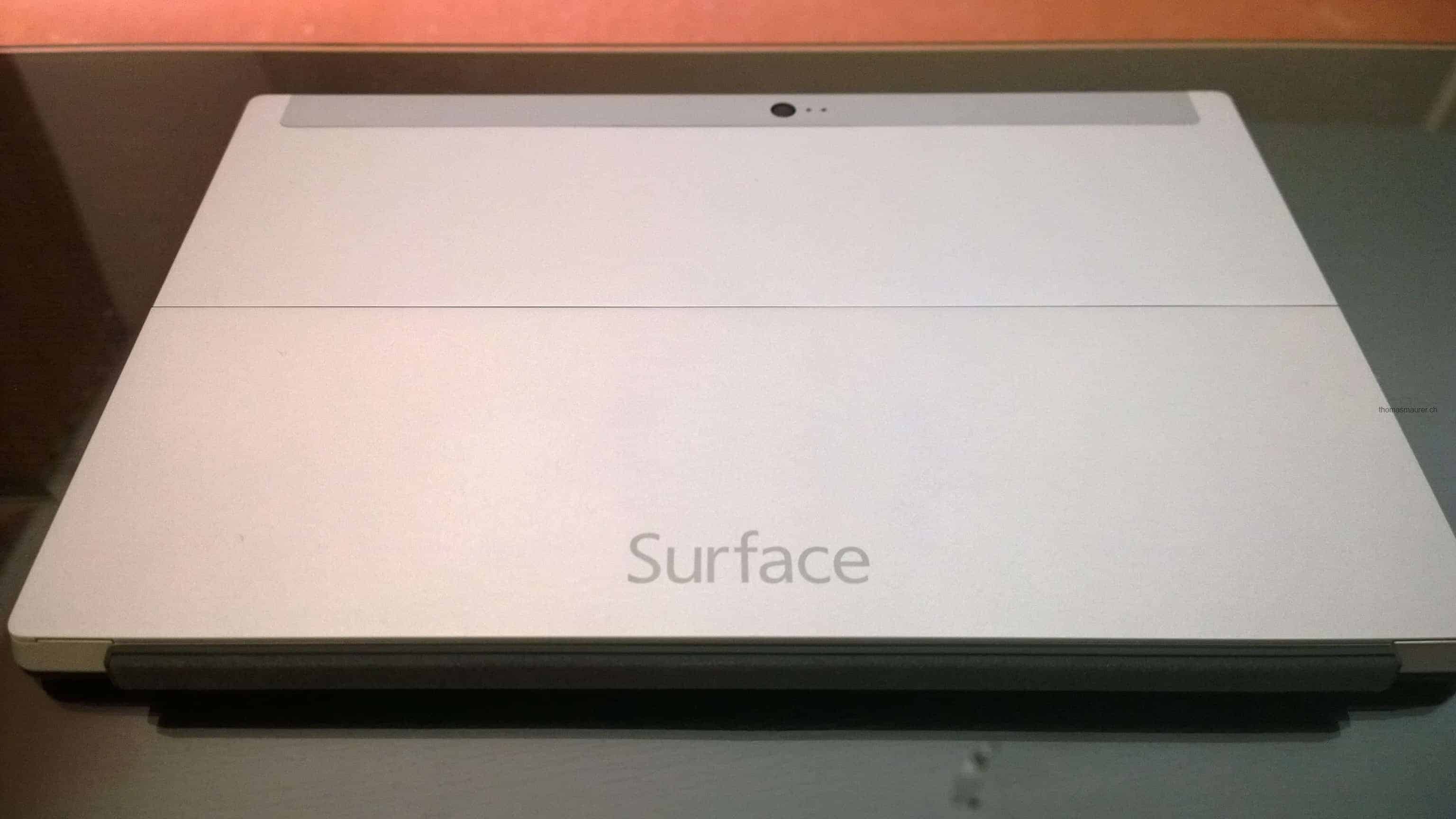
First of all the hardware feels just great and the build quality feels awesome. It does not feel like cheap plastic like other Windows or Android tablet I have seen. The additional “hardware features” are perfect. The Kickstand is great and works perfect and the Touchcover works like Microsoft promised.
Windows RT is fast and the new Windows 8 user interface is the best tablet OS I have ever used. The supported gestures with the charms bar and the “fast app switch” makes it very easy and fast to use. Even if Windows RT does not support normal desktop applications except for Office 2013 I don’t miss it.The RDP client, Office with OneNote, PowerPoint, Word and Excel and the new Windows Store Apps works perfect in my daily usage.
For me the Surface RT works good and I decided that this will be my only device I will carry except my Windows Phone at the Microsoft Community Open Day in Munich.
Even I like the Surface RT I miss three important things which will be coming with the Surface Pro. First I would love to have a higher resolution, second I miss Outlook for my work mail and I would love to have a pen to make notes and draw overviews at work. So I will invest my money in a Surface Pro as soon it will be available.
Update: Something I forgot to mention in the previous post. The wireless antennas inside must be great. Is by far the best wireless device I have ever used, which is great if you are in a hotel with really bad Wifi network and you can’t really get a connection with your laptop or phone.
Microsoft Surface Pre-Order now – Shut up and take my money!

Microsoft finally lets you pre order the Microsoft Surface RT tablet, and release a little bit more information about the Surface RT and Surface Pro. Microsoft showed the Surface in June this year. The Microsoft Surface RT will be available at October 26 and the Surface Pro will be available three months later.
Microsoft released some new videos and ads:
Learn more about Surface
The making of Microsoft Surface
The Surface Movement
Get some of the specs of the Surface RT and Surface Pro.
Surface RT
| OS | Windows RT; Microsoft Office Home and Student 2013 RT Preview (Word, PowerPoint, Excel, and OneNote). Works exclusively with apps available in the Windows Store. |
|---|---|
| Exterior | 10.81 x 6.77 x 0.37in 1.5lbs VaporMg casing Dark Titanium color Volume and Power buttons |
| Storage | 32GB*, 64GB *1GB = 1 billion bytes; formatted storage capacity may be less |
| Display | 10.6″ ClearType HD Display 1366×768 pixels 16:9 (widescreen) 5-point multi-touch |
| CPU | NVIDIA T30 2GB RAM |
| Wireless | Wi-Fi (802.11a/b/g/n) Bluetooth 4.0 technology |
| Battery | 31.5 W-h |
| Cameras and A/V | Two 720p HD LifeCams, front- and rear-facing Two microphones, Stereo speakers |
| Ports | Full-size USB 2.0 microSDXC card slot Headset jack HD video out port Cover port |
| Sensors | Ambient light sensor Accelerometer Gyroscope Compass |
| Power Supply | 24W power supply |
| Warranty | 1-year limited hardware warranty |
| Apps (included) | Microsoft Office Home and Student 2013 RT Preview1 (Word, PowerPoint, Excel, OneNote); Windows Mail and Messaging; SkyDrive; Internet Explorer 10; Bing; Xbox Music, Video, and Games. |
Surface Pro
| OS | Runs current Windows 7 desktop applications and integrates with your existing enterprise management infrastructure. Use the programs and the apps available in the Windows Store. |
|---|---|
| Exterior | 10.81 x 6.81 x 0.53in 2lbs VaporMg casing Dark Titanium color Volume and Power buttons |
| Storage | 64GB*, 128GB *1GB = 1 billion bytes; formatted storage capacity may be less |
| Display | 10.6″ ClearType Full HD Display 1920×1080 pixels 16:9 (widescreen) 10-point multi-touch |
| Pen Input | Pen input and pen (included with purchase) |
| CPU | 3rd Gen Intel Core i5 Processor with Intel HD Graphics 4000 4GB RAM—Dual Channel Memory |
| Wireless | Wi-Fi (802.11a/b/g/n) Bluetooth 4.0 Low Energy technology |
| Battery | 42 W-h |
| Cameras and A/V | Two 720p HD LifeCams, front- and rear-facing with TruColor Microphone, Stereo speakers |
| Ports | Full-size USB 3.0 microSDXC card slot Headset jack Mini DisplayPort Cover port |
| Sensors | Ambient light sensor Accelerometer Gyroscope Compass |
| Power Supply | 48W power supply (including 5W USB for accessory charging) |
| Warranty | 1-year limited hardware warranty |
| Apps (included) | Windows Mail and Messaging; SkyDrive; Internet Explorer 10; Bing; Xbox Music, Video, and Games. |